
YOUR INFORMATION
Privacy policy
How SoCal Rooter uses the information you share with us when requesting service, booking an appointment, or starting a conversation.
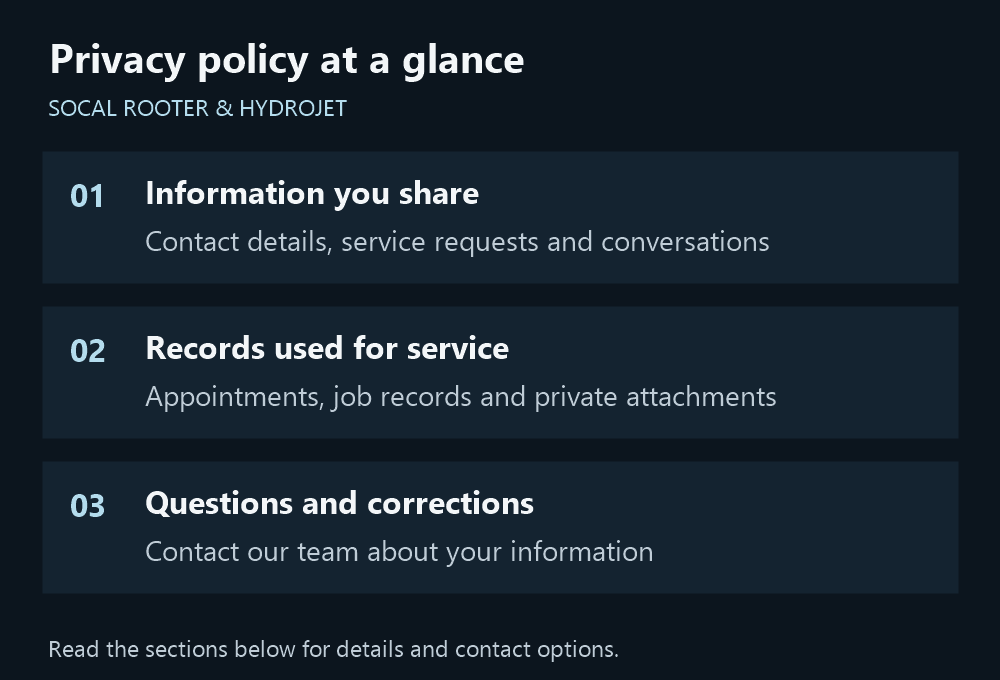
01 Information & service
This privacy policy explains the information involved when you contact SoCal Rooter, request a plumbing appointment or use our website chat. The sections below cover service records, photos, website tools and ways to ask about your information.
Information you provide
When you request service or start a conversation, we collect the contact details and information you provide to respond, arrange service and maintain customer records. A request can include your name, email address, phone number, service address and description of the plumbing issue. You can also provide project photos to help explain the work.
Give us the details needed to understand your request, such as the affected fixture, access arrangements and the best way to reach you. Avoid including unrelated personal documents or information about other people. If you are arranging access for someone else, share only the contact and property details relevant to the service.
Appointments, records and conversations
Appointment records may include estimates, invoices, payments recorded by the office and project media. Records are stored in our service management system and are available to authorized staff according to their access. Transactional emails may be sent through the website’s email provider. Appointment approval is required before a requested time is confirmed.
Chat uses a temporary conversation key in your browser session so you can read replies. Basic spam protection uses a short-lived hash of your network address. If you arrive through a campaign link, the service request may record campaign names to help us understand which advertising led to the request.
Use the appointment request form for scheduling and our contact page for phone and email details. A privacy policy question can be sent directly to the team using the contact options in section three.
02 Photos & website tools
Public photos and private attachments
Public project photos on this site are separate from private customer attachments. Before sending a photo with a service request, check the background for paperwork, account details or other information unrelated to the plumbing issue. Focus the image on the equipment or area you want the team to review.
Please do not send payment card information, passwords or identity documents through booking or chat. Payments recorded by the office in a service record are different from entering payment card details into a website form.
Analytics, advertising and external links
The website loads Google Analytics and Google Ads tags for website measurement and advertising. Google explains that a browser visiting a site using its services can send information such as the page URL and IP address, and that its services may set or read cookies. Read how Google uses information from sites using its services for details and available controls.
Links to Instagram and Facebook take you to services with their own privacy practices. Review the Instagram privacy policy and Facebook privacy policy when using those services. Their account settings and information practices are separate from a service request you send to SoCal Rooter.
03 Privacy policy questions
For questions about your information, corrections or a deletion request, contact our team. Describe which service request, conversation or record you are asking about and the change or explanation you need. An approximate appointment date or job reference can help identify the relevant record without sending a complete set of personal documents.
Email SoCal RooterYou can also call 909-969-1838. If a contact detail is incorrect, explain which detail needs correction and provide the replacement. For a deletion request, identify the information concerned. Business records may need to be retained for service and recordkeeping purposes.
If part of this privacy policy is unclear, tell us which section your question concerns. Please keep the first message focused on the issue and a way to contact you; do not include payment card information or passwords. Our contact options are also available in the website footer.
What the privacy policy says about service requests
Use the appointment request form when you want to ask about scheduling. Start with the address where service is needed, the affected fixture or area and a way for the office to reach you. A short description such as which drain is slow or where water appeared gives the office a starting point. The information and service section explains which details may be gathered with a request.
Keep unrelated information out of the form. You can describe a concern with a rental or commercial property without sending leases, tenant files or identity documents. If another person will let a technician in, share only the contact and access details that matter for the visit. If a form field or request is unclear, use the contact page to ask what information the office needs.
Privacy policy guidance for appointments and conversations
Use the scheduling form if you want a visit. A requested time still needs approval. If you are following up before the office has confirmed the appointment, identify the address and the approximate date you sent the request instead of sending the entire set of documents again. The service information section describes the details involved in scheduling.
If your question is about an existing record or a detail you submitted, you can email the office and explain what you are asking about. For a phone conversation, use the number on the contact page. A subject line that identifies an appointment, correction or question helps distinguish the request from a new plumbing issue.
Privacy policy guidance for submitting photos
Review an image before you attach it. Frame the affected fixture, connection or area. Check the background for mail, invoices, screens, account details or photographs unrelated to the job. If a wide shot is needed to explain where the fixture sits, move unrelated items out of view where practical. See the section on photos and website tools for how the site distinguishes project images from private attachments.
If several photos are useful, name or describe what each one shows. For example, point out which image shows the affected drain and which shows where water appeared. A short caption is often clearer than an unfiltered set of photographs. Use the office contact options if you are unsure whether a photograph is necessary for your question.
What the privacy policy says about payment and login details
The site asks people to keep card numbers, passwords and identity documents out of booking and chat. The fact that an office service record may show a payment does not mean the booking form is a place to enter payment card information. Read the photos and website tools section if you have questions about what to leave out of a message.
You can describe a question about a payment by giving a job reference or approximate appointment date and explaining which record you need help with. Avoid sending a full card number or account login to identify it. If you need to ask how to proceed, call 909-969-1838 or use the policy contact section to find the available options.
Privacy policy guidance on appointment records
The information and service section lists the types of material that can be part of an appointment record, including estimates, invoices, payments recorded by the office and project media. When asking about one of these items, identify what you want to review. A service address, date or job reference can help distinguish the visit from other work at the same address.
If your question concerns a conversation rather than a completed visit, say which channel you used and give an approximate date. You can send the office a short note with what you need. If you have several questions about one visit, list them together so the office can see which record or communication each question refers to.
Privacy policy guidance on chat and campaign information
The policy section on service and conversations explains that chat uses a temporary conversation key in the browser session and that basic spam protection uses a short-lived hash of the network address. If you are asking about a reply or an earlier chat, describe the topic and approximate time. Keep your first message focused on the question and provide a way for the office to contact you.
If you reached the site through a campaign link, a service request may include campaign names. The section on website tools covers that context alongside site measurement and advertising. You can ask about a particular visit or form through the contact page. Include the part of the process you want the team to explain.
Where the privacy policy explains Google tools
The privacy policy describes the use of Google Analytics and Google Ads tags. For an explanation of the information Google may receive when people visit a site that uses those services, see Google’s page about partner sites. That page also describes settings and choices Google makes available.
If your question is about SoCal Rooter’s own service records, read the service information section and contact the office about the specific record. If your question is about what an external service collects, start with the relevant provider’s explanation. This distinction can help you find the information you need without sharing unnecessary details in a service request.
Privacy policy links for external social sites
Links from the site to social networks lead to other services. For information about the settings and practices of those services, see Instagram’s privacy information or Facebook’s privacy information. Review the settings in the service you are using if your question concerns that account.
If your question is about photos on SoCal Rooter’s website or photographs you sent privately with a request, use the section on photos and attachments instead. Describe the image or the appointment it relates to when contacting the office. Keep unrelated photos or account details out of that first message.
How the privacy policy handles correction and deletion requests
To request a correction, say which contact detail or record you believe is inaccurate and provide enough context to identify it. An approximate date or reference is often enough to begin. The questions section explains how to contact the team about your information and what to include with a request.
For a deletion request, explain which information you are asking about and the record or conversation it relates to. The privacy policy notes that some business records may need to be retained for service or recordkeeping purposes. Use the office email address or call the office if you want to ask how this applies to a particular request.
How to ask a privacy policy question
If you are unsure which part of the page applies, pick the closest topic. Use information and service for details shared with a booking request, photos and website tools for attachments or site tools and privacy questions to find the available contact options. Mention that topic in your message.
Describe what you want explained and how the team can reach you. If your question is unrelated to an appointment, say so. If it concerns a visit, include the relevant service address and approximate date without sending passwords, card details or personal documents. Use the contact page if you need the current office contact information.
How to follow up on a privacy policy question
If you wrote to the office already, you can mention the approximate date and the subject of your earlier message. If someone else originally arranged the appointment, identify the service address and explain your relationship to the request. Share enough information for the office to find the conversation without forwarding an entire email chain or unrelated attachments.
If your original concern has changed, describe the specific issue that now needs attention. For example, you might want to correct the phone number used to reach you or ask what a particular field in a service record refers to. Use the contact details in the policy to send that clarification.
Use the privacy policy when reviewing service records
You may find it useful to keep the appointment confirmation, estimate and invoice together for your own reference. If you have more than one property or several visits for the same address, use the service date to distinguish the records. When you contact the office, say whether you need help with a booking, a completed visit or an earlier conversation.
An appointment date or job reference can be enough for an initial question. Wait for the office to tell you if it needs any further information. If your question is about an advertising tag, a social platform or a photograph, start with the section of the page that discusses that topic and specify the particular tool or image involved.
Use the privacy policy when arranging service for someone else
If you are coordinating a visit for a tenant, relative or colleague, explain your role and provide a contact who can meet the technician. Describe where the technician needs access and who will make decisions about the work. An office contact who can confirm a time is often more useful than a long description of everyone associated with the property.
Keep information about other people limited to what is relevant to arranging access or responding to the issue. For example, if a tenant will let the technician in, the office may need a way to coordinate access with that tenant. Documents that have no bearing on the plumbing issue can be kept out of the service request.
What to include in a privacy policy question about an image
If the question involves a public project image, identify the page where you saw it and describe which image you mean. If it involves an attachment you sent with a private request, refer to the related appointment or message so the office can find the relevant item. These are different situations, and describing the context can help the team address your question.
If you need to refer to an image that contains information you are concerned about, start with a short description rather than sending another copy. State the practical outcome you want to discuss, such as identifying which record an attachment belongs to or asking about a particular photo used on the website.
Where to start when the privacy policy covers several services
Begin with the part of the process that prompted your question. The booking section applies to information supplied when you ask for a visit, the chat section describes the browser session and spam protection, and the website tools section points to the providers’ explanations for their services. You can use the links above to move between sections.
If the question spans more than one section, list the parts separately when contacting the office. For example, you may want to correct a phone number on a request and ask a separate question about a photo. Say which visit or conversation is relevant to each part. You can ask what information the team needs before sending additional material.
YOUR NEXT STEP STARTS HERE.